

Big or small, every update across Q1 and Q2 was built with one goal: to make life easier for the people running hotels.
Hotel tech doesn't stand still. And neither does our product team.
Since the start of 2026, we've shipped eight updates to the Flexkeeping platform. Some are powerful new features, others are smart enhancements to tools you already use every day. Behind all of them is real feedback from real users, and a forward-thinking product team that's always asking what's next.
We've also been busy on the inside. As we continue to grow as part of the Mews family, we've made significant visual updates to the product.
We’re aligning the Flexkeeping experience more closely with Mews
to create a more seamless, unified interface for our users. Same great functionality, a lot sharper to look at.
So in case you missed it, here's your Product Postcard: a mid-year recap of every single update we've launched so far in 2026, and how your team can make the most of them (if they aren't already).
UPDATE 1
New Analytics Dashboard 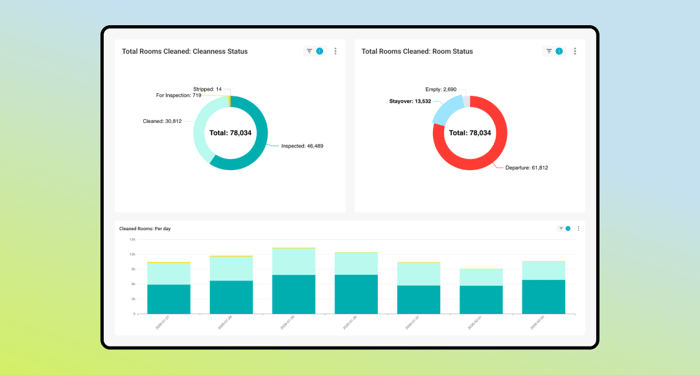
What you need to know:
- The Analytics Dashboard has been completely rebuilt to give hotel teams a clearer, more accurate view of housekeeping performance.
- Every cleaning action, inspection, and correction is now tracked in full detail – cleanings and inspections are reported separately, and all cleaning types are supported.
- Guest context (like Do Not Disturb or eco-stays) is factored in so you're always looking at accurate, meaningful data.
- New key metrics include: average rooms cleaned per person, total working days, and expected vs. actual cleaning time.
- Designed for both single properties and hotel groups, with multi-property views, granular time filtering, and easy data exports.
Why you should care:
- Balance workloads more fairly across your housekeeping team.
- Spot inefficiencies early using clear, up-to-date reporting — so patterns don't repeat.
- Make data-backed staffing and budgeting decisions with confidence.
- Build a foundation for smarter benchmarking as your property evolves.
UPDATE 2
Workflow Builder
What you need to know:
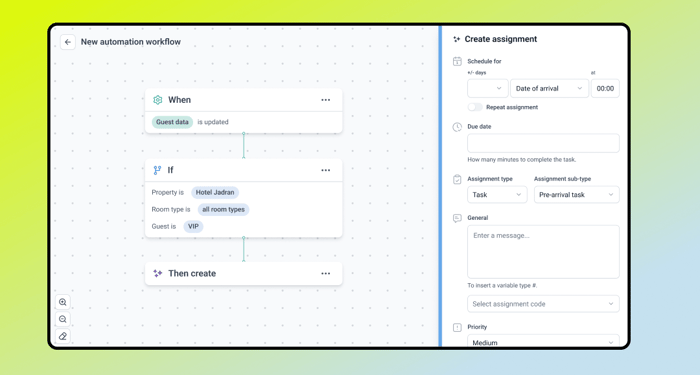
- Workflow Builder is a no-code automation creator built specifically
for hotel operations – no developers required. - Create task automations using real-time triggers: products or services added to a reservation, length of stay, rate code, booking source, guest VIP status, late check-outs, and more.
- For example: automatically trigger a VIP welcome package for guests booking through a specific partner, placed in the room pre-arrival.
- Built into the Flexkeeping platform for easy adoption, with smart routing and operational triggers.
- Currently live for General Manager users with Automated Services included in their plan. Contact your account manager to expand access.
Why you should care:
- Eliminate manual processes without writing a single line of code.
- Reduce human error and deliver more consistent guest service.
- Build custom automation flows that match the way your property actually operates.
- Scale efficiency without the technical overhead.
UPDATE 3
MARA Solutions Integration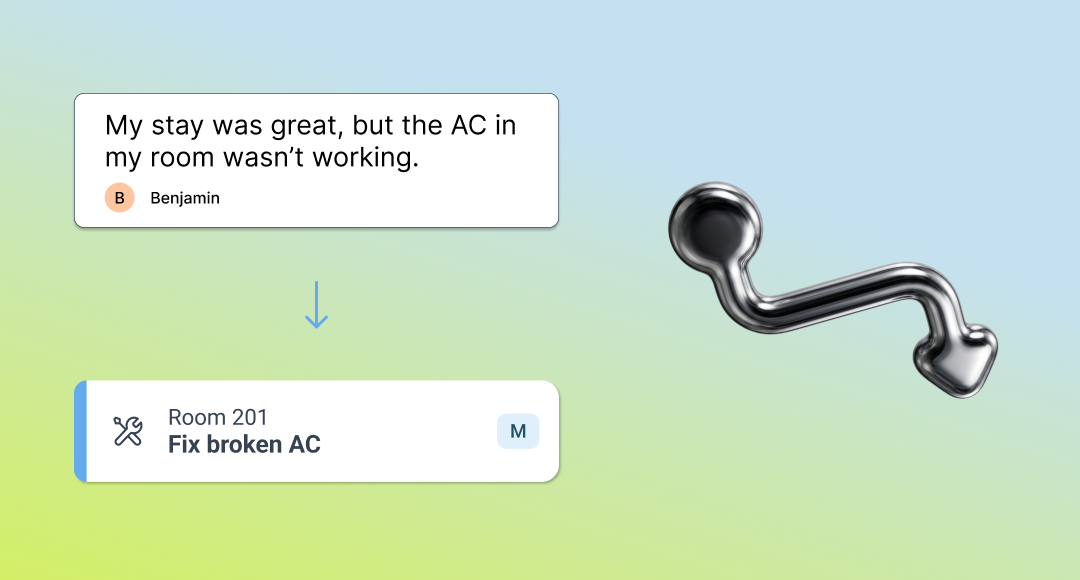
What you need to know:
- Flexkeeping now integrates with MARA Solutions, the award-winning reputation management platform.
- When guests leave online reviews, MARA analyzes the feedback
and matches it to reservation data. - If the review flags an issue that needs attention, a service ticket
is automatically created in Flexkeeping and assigned to the relevant team – no manual follow-up required. - Housekeeping and maintenance staff receive clear, actionable tasks: resolve a cleanliness concern, fix an in-room issue, and so on.
- The integration is available now for customers of both platforms. Contact your representative from either side to get set up.
Why you should care:
- Turn guest feedback into immediate operational action.
- Close the gap between what guests are saying and what your team
is doing about it. - Speed up response times without adding to anyone's workload.
- Improve both operational efficiency and guest satisfaction
in one move.
UPDATE 4
Languages & Auto-Translations Management
What you need to know:
- Hotel teams can now manage language preferences directly within Flexkeeping.
- Auto-translate configuration means content can be automatically translated to match the preferred language of each team member.
- Ideal for multilingual teams working across departments or properties.
Why you should care:
- Increase accountability for smoother operations.
- Resolve guest issues quickly.
- Analyze performance to find trends and boost efficiency.
UPDATE 5
Export, Edit in Excel, and Re-import Your Checklists
What you need to know:
- You can now export any checklist to Excel, edit it, and import it straight back into Flexkeeping – with all your segments, subtitles, and questions exactly where you left them.
- No rebuilds, no manual re-entry. Your structure stays intact throughout the process.
- Head to your checklists in Flexkeeping to get started.
Why you should care:
- Update and fine-tune checklists in bulk without starting from scratch.
- Faster setup when onboarding new properties.
- Fewer errors and less time spent on admin.
UPDATE 6
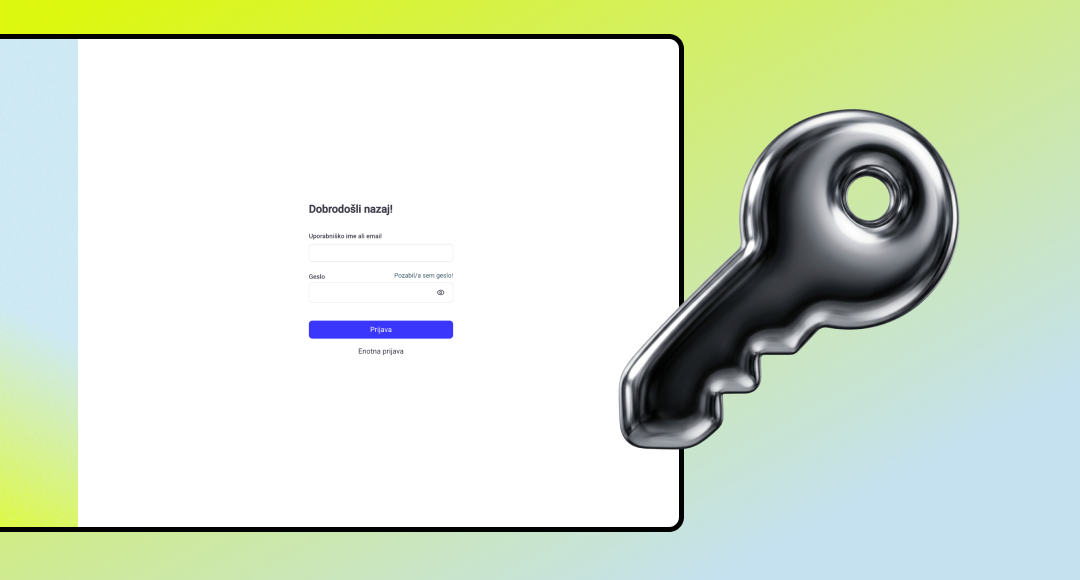
Flexkeeping SSO Built into Mews
What you need to know:
- You can now access your Flexkeeping account directly from
the Mews app. - Just tap the grid icon in the top left and select Flexkeeping. You're in.
- No separate login, no extra steps.
Why you should care:
- No more switching between apps.
- A much simpler, faster login experience.
- One less thing to think about and more time to focus on guests.
UPDATE 7
Multi-Property Checklist Dashboard
What you need to know:
- A new multi-property checklist dashboard gives you a consolidated view of checklist performance across your entire portfolio,
all in one place. - Filter by property, folder, or time period.
- Access summary views, failed items analysis, and readings data
(like temperature or pH) without leaving a single screen.
Why you should care:
- No more exporting from individual properties and stitching
it together in Excel. - HQ and quality teams can act on data faster and more confidently.
- Less time on manual reporting, more time on what the data is actually telling you.
UPDATE 8
Smart & Trustworthy Auto-Assign Work Schedule in Day View
What you need to know:
- When a supervisor hits "Auto-Assign" in the housekeeping schedule, the system now automatically divides cleaning tasks between staff
in a way that's fair and logical every time. - It works by grouping tasks sensibly – by cleaning type (departures, stayovers, room checks) and by location, so housekeepers aren't sent back and forth across floors unnecessarily.
- You can assign all tasks at once, or filter down first and only assign
a specific group – like all departures on one floor. - It works for all team setups, whether rooms are cleaned solo or by pairs and groups.
Why you should care:
- Your supervisors spend less time manually fixing the schedule every morning and more time actually managing the floor.
- Your housekeeping staff get a workload that feels fair, which means fewer complaints and a calmer start to the day.
- Tasks are distributed in a way that reflects how your hotel actually runs, not something your team has to fight against.
UPDATE 9
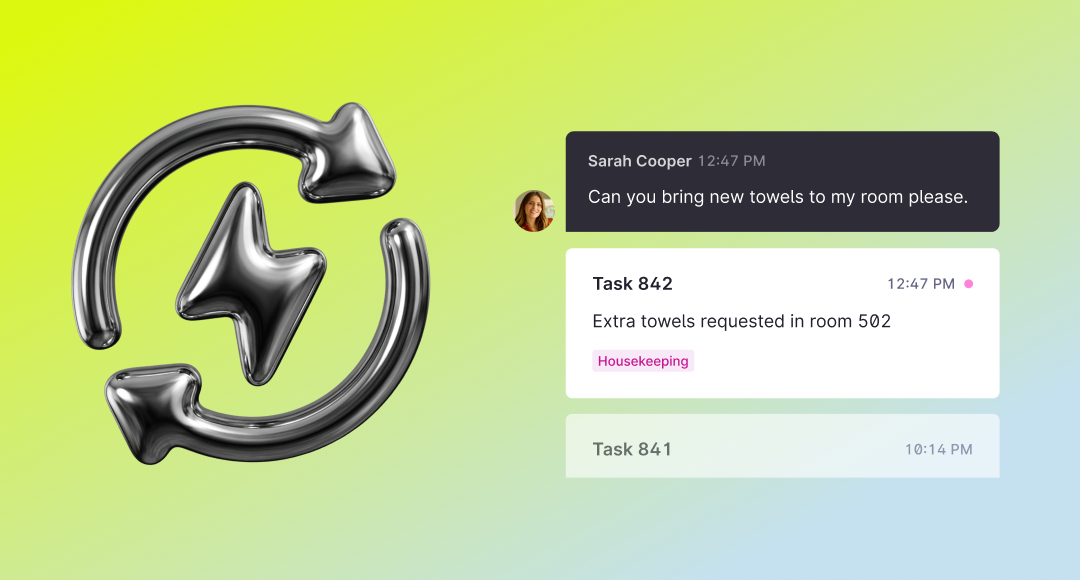
Automated Task Sync Between
Mews and Flexkeeping
What you need to know:
- Every task created in Mews is now sent to Flexkeeping within seconds and routed automatically to the right team based on your departmental settings.
- Once the task is marked "done" in Flexkeeping, that update syncs straight back to Mews.
- From creation to completion, task statuses stay in sync across both platforms, with no manual follow-up required.
Why you should care:
- One single source of truth for task statuses, instead of two systems
to check. - Front desk teams spend less time chasing and more time hosting.
- Requests reach the right team faster, so guests get a faster resolution.
- Less admin, fewer dropped tasks and a smoother operation from top to bottom.
What to expect on the next Product Postcard.
Our product team is already deep into the next round of improvements.
We can't give everything away just yet, but here's a taste of what's coming:
- More intelligence built into your daily scheduling and planning.
- Deeper cross-product integration with Mews.
- Features we're keeping close to our chest – for now.
Until then, happy tech travels from your friends at Flexkeeping.